Ways to collect testimonials
Every way testimonials reach your project, from forms and email invites to file imports, review sites, social posts and media links.
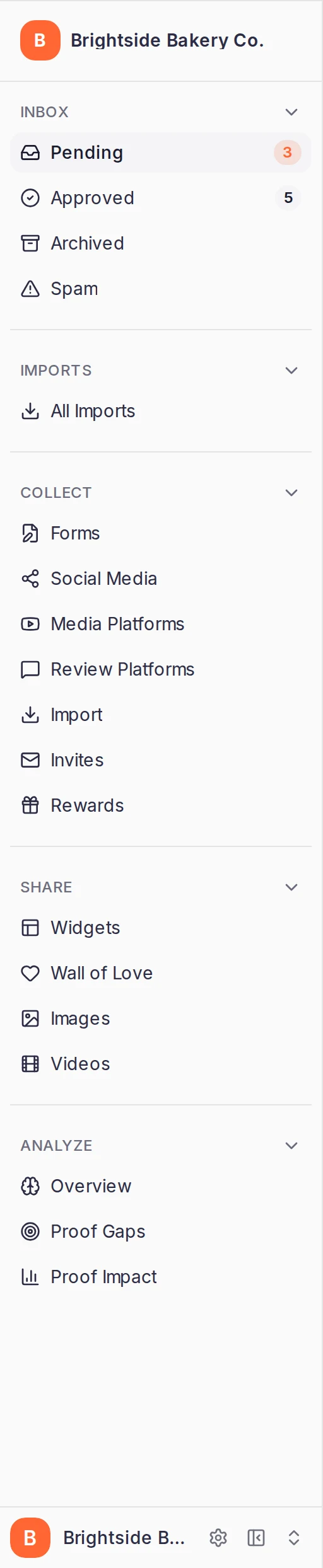
A testimonial can reach your project in several ways. You can ask customers for one with a form or an email invite, bring in what they've already written on other sites, or add one yourself. Each way has its own page under Collect in your project's sidebar.
New to ReTestimonial? Collect your first testimonial takes an empty project to one approved testimonial the quickest way.
How it works
Whatever the source, every testimonial lands in the same project inbox. There you approve the ones you want to show in your widgets and on your Wall of Love. Imported reviews, social posts and file imports are also listed under All Imports, in the sidebar's Imports section.
Ask your customers
Forms. A collection form is a page your customers fill in. A Question page can ask for a written answer, a video (recorded in the browser or uploaded) or a choice from a list, and a form can ask for a star rating too. Share it as a link or a QR code, or embed it on your website. See Build a collection form and Collect video testimonials.
Invites. Smart Invites emails customers to ask for a testimonial: an invitation, then reminders that stop as soon as they respond. They answer through your form. Customers come in from a webhook when someone buys (Connect a webhook), from a file of customers you already have (Import a CSV), or one at a time (Invite one customer). See Smart Invites.
Rewards. Thank the people who leave a testimonial. A form's Rewards tab sets up a reward for that form, such as a coupon code, and the Rewards page in the sidebar manages the project's gift card rewards. See Rewards for testimonials.
Bring in what customers already wrote
Import. Upload a CSV, Excel or JSON file, or paste rows from a spreadsheet. See Import testimonials from CSV, Excel or JSON. Coming from another tool? See Move your testimonials from Senja or Testimonial.to.
Review Platforms. Connect your listing on Google, G2, Capterra, Trustpilot, Yelp, Product Hunt, App Store and Booking.com and import its reviews. Each platform has its own tab. Most can sync new reviews on a schedule. See Review platform imports.
Social Media. Click Import from URL and paste a post's link under Post URL. The post is fetched for you, and you check the author and text before importing it. See Social media imports.
Media Platforms. Bring in a video or a podcast episode that's hosted on another site by pasting its link. The button reads Import Video or Import Audio, depending on the tab you're on (Video, Podcasts or Enterprise). The recording plays from the site that hosts it, and each import counts toward the same limit as your written and audio testimonials, not your video testimonial limit. See Video and audio imports.
Add one yourself
In your inbox, click Options. Under Add Testimonial you can type in a testimonial (Add a text), upload a video file a customer sent you (Add a video) or have a testimonial read from a screenshot (Extract from screenshot). Each one is saved in Pending for you to approve. See Add a testimonial by hand.
Which plans include what
- Forms are on every plan. A project can have from 1 on Free to unlimited on Business.
- Smart Invites is on Premium and Business. On other plans, Invites shows a lock in the sidebar.
- Form rewards are on Pro, Premium and Business.
- Google reviews can be imported on every plan. Which other platforms you can connect, how many reviews an import brings in and whether reviews sync on their own depend on your plan. The Review Platforms page shows your limits.
- Importing a social post by its link isn't on every plan. When yours doesn't include it, the page shows Upgrade to import.
- File imports: the file types you can upload and the number of rows per import depend on your plan. The import article lists them.
Depending on your role in the workspace, some of these pages and buttons may be hidden. For example, Social Media and Import appear only if you can import testimonials.
In this section
Was this page helpful?
Collect your first testimonial
Take a new project from an empty inbox to one approved testimonial by creating a form from a template, sharing its link and approving the answer.
Build a collection form
Create a form from a template, set up its pages and required answers, test it in the preview and share its link with customers.