Sign inStart free

ReTestimonial vs VideoAsk: After the videoask, proof needs a home.

VideoAsk (by Typeform) is very good at interactive video conversations: branching logic, scheduling, even payments in the flow. It was not built to be a testimonial platform. Its display is a shared inbox playlist, with no wall builder and no review imports, and per Typeform's own community team it's maintained without new feature development. ReTestimonial is built for what happens after the answer is recorded.

Free plan, no card · roll an import back on paid plans

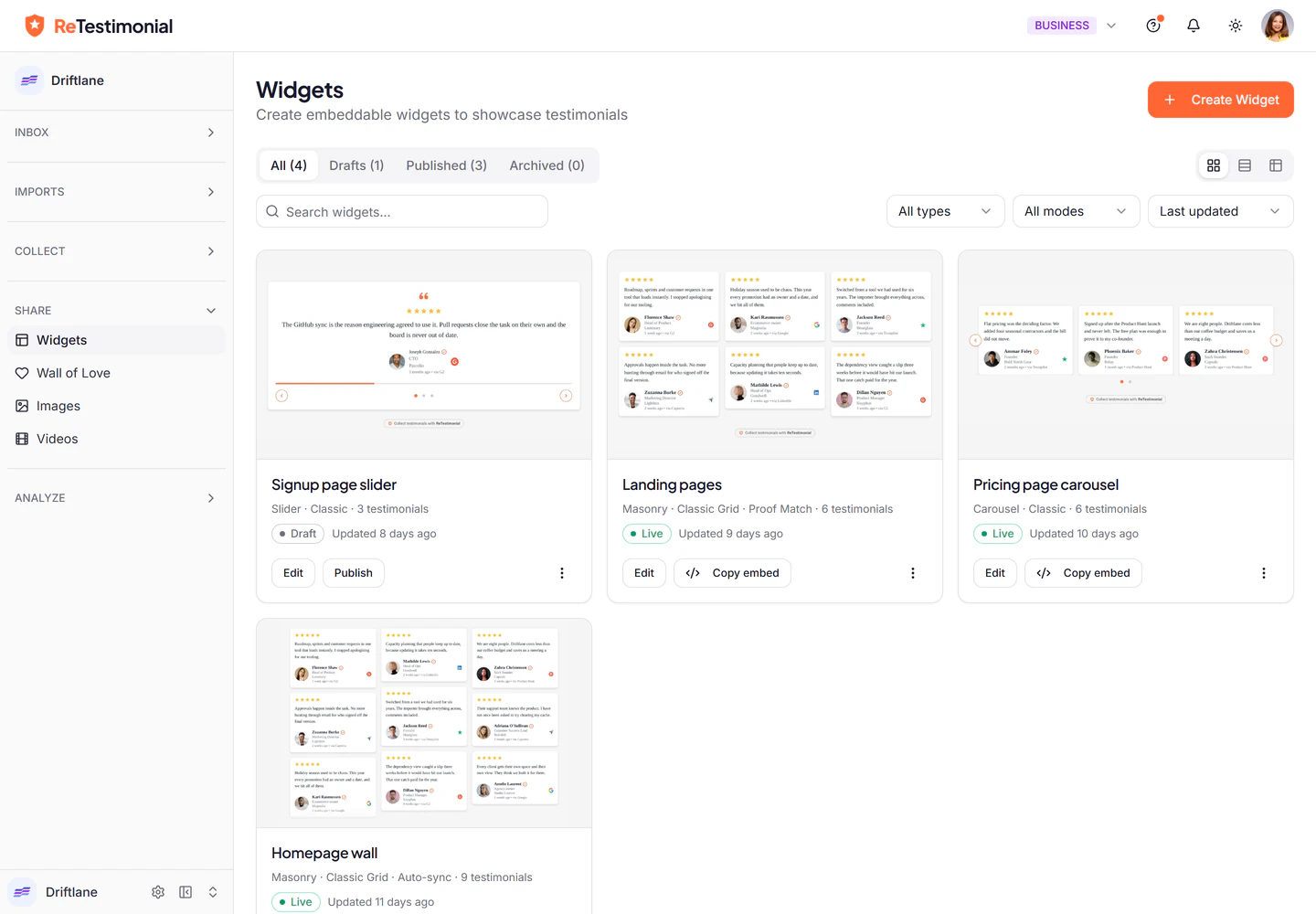
The Widgets page: four widgets, each shown as a picture of the real widget with its type, selection mode and publish state.
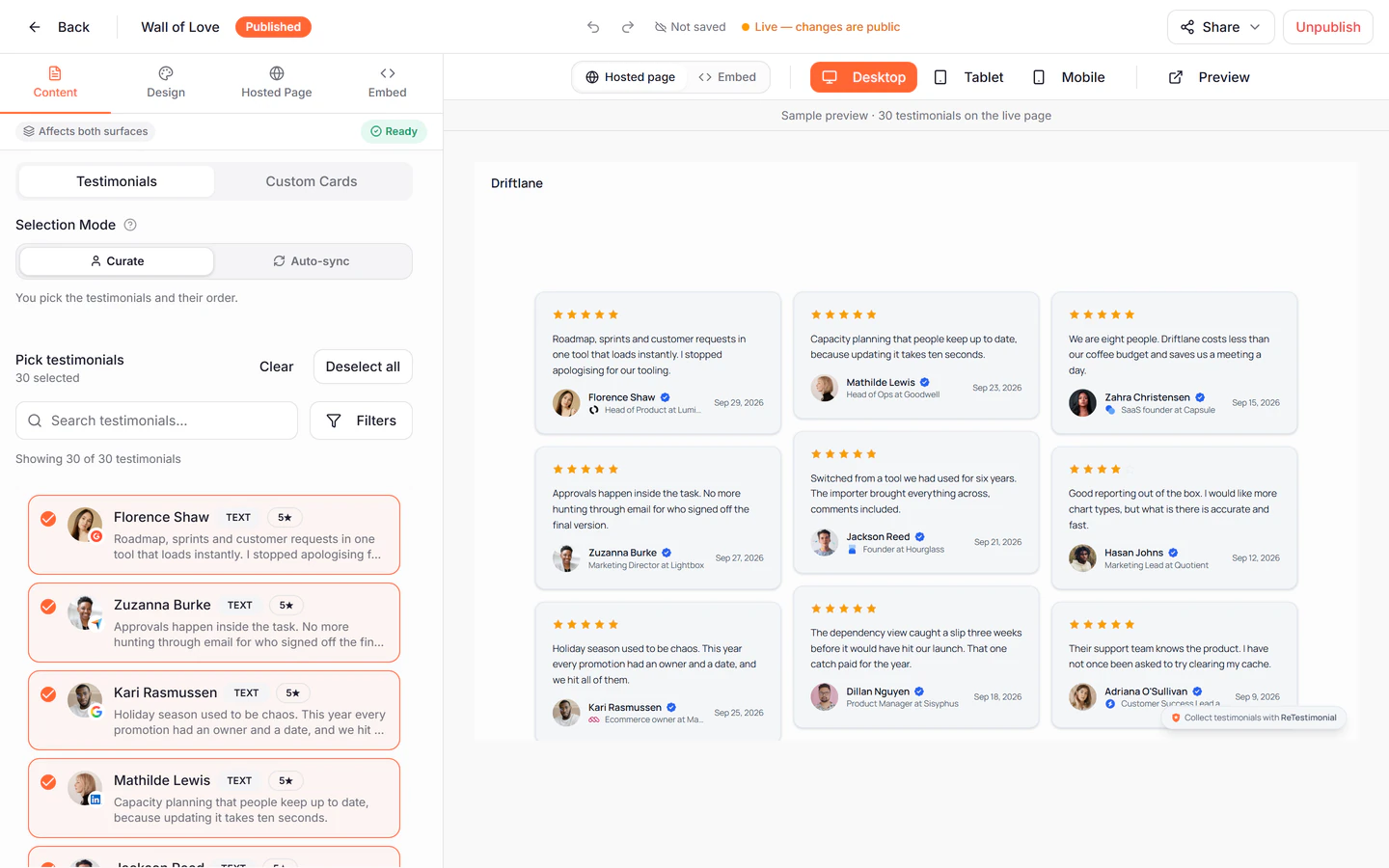
The Wall of Love builder: the reviews picked for the wall on the left, and a preview of the hosted page with nine review cards on the right.

The real dashboard, with a demo company’s reviews.

The short answer

VideoAsk is for video conversations: branching flows, live calls and payments, which ReTestimonial does not do. For showing testimonials it offers a shared inbox playlist, with no wall builder and no review imports, and it meters minutes. ReTestimonial is built for testimonials: walls and widgets, reviews synced from other platforms, social videos, and a report of which proof came before a conversion.

Pick VideoAsk if…

Branching video conversations are the job: async interviews, lead qualification, appointment funnels. At that, VideoAsk is still best-in-class.

Pick ReTestimonial if…

Testimonials are the job: collection forms, walls and widgets in 64 styles, reviews synced from the platforms, social videos, and revenue attribution, in a product under active development.

Already on VideoAsk?

Download your video answers from VideoAsk and upload the files to us. They're hosted with adaptive streaming and automatic transcripts, and can be on a wall or a widget the same day.

Side by side

The honest table, with proof.

Every row shows what each tool includes and, for ours, the plan it starts on. Pick a row to see the screen behind it.
ReTestimonial and VideoAsk, capability by capability
CAPABILITYUsVideoAsk
Collect
Video testimonials recorded from a link
No account for the person recording. 2 on Free, unlimited from Premium
VideoAsk: On every plan, including the free one.
✓
Free
✓
Audio testimonials
Our testimonials are written or on video
VideoAsk: An answer can be video, audio or text.
—✓
Branching video conversations
Our form pages can show or hide by an earlier answer; there is no video reply tree
VideoAsk: Conditional logic on every plan; the free plan stops at 3 steps.
~✓
Live calls, scheduling and payments in the flow
VideoAsk: Scheduling and payments on every plan; live calls from Grow ($30).
—✓
Stripe, Shopify, WooCommerce, Gumroad, Lemon Squeezy, Paddle or any webhook
VideoAsk: The link goes out through your own email tool or Zapier; no built-in reminders.
✓
Premium
~
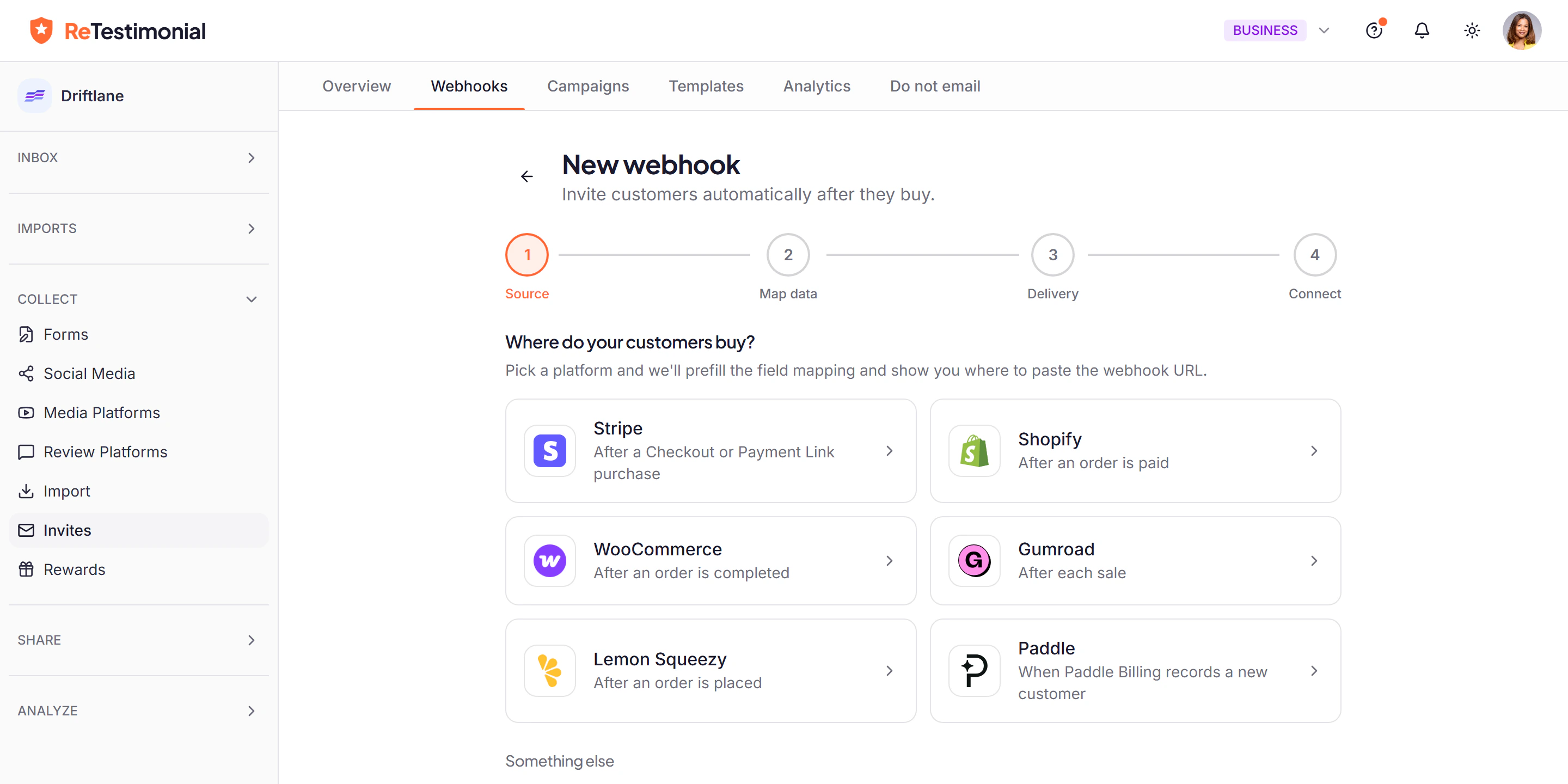
The first step of a Smart Invites webhook: choose where customers buy, from Stripe, Shopify, WooCommerce, Gumroad, Lemon Squeezy, Paddle or a custom webhook.

Pick where your customers buy. The field mapping is prefilled, and a three-email sequence starts after each purchase.

Files, pasted rows, review sites, social posts and video links. CSV on every plan; more sources on higher plans
✓
Free
—
Display
8 widget types, 64 styles. Every type from Pro
VideoAsk: An embeddable inbox playlist filtered by tag, and a carousel snippet you edit by hand; no wall builder.
✓
Free
~
VideoAsk: The shared inbox lists video, audio and text answers; it is not a designed wall.
✓
Free
~
A share page for each testimonial
VideoAsk: Any answer can be shared by a public link.
✓
Free
✓
Review markup for stars in search results
✓
Business
—
Close the loop
Shows which proof you are missing, by persona, use case and objection
✓
Premium
—
One widget, different proof by page, campaign and referrer
✓
Premium
—
Which proof came before each conversion, and what it was worth
✓
Premium
—
Widget analytics, with events sent to GA4 or GTM
VideoAsk: A metrics tab and Google Analytics events; drop-off analysis from Grow ($30).
✓
Pro
✓
Video
Automatic transcripts and captions
VideoAsk: An automatic transcript for each answer, with captions in the player.
✓
Pro
✓
Ready-made looks in four formats, with captions. Video testimonials from Pro
✓
Free
—
Several answers stitched into one video
✓
Business
—
Plans
A free plan to start on
10 text + 2 video testimonials, 2 widgets, 1 Wall of Love, no card required.
VideoAsk: 20 processing minutes a month and 3 steps per videoask.
✓
Free
✓
No meter on video processing minutes
Limits are a count of videos and a length per video
VideoAsk: 20, 100 or 200 processing minutes a month by plan.
✓—
✓ included  ~ partial, with the reason beside it  — not offered. The plan under each of our marks is the lowest plan that includes it.VideoAsk’s column was checked on 7 Oct 2026 against VideoAsk pricing and VideoAsk help centre. Features and plans change, so confirm on videoask.com before deciding.
What “closing the loop” means

Collecting answers is the first half.

These three are what the comparison turns on. The table above shows how far VideoAsk goes on each.
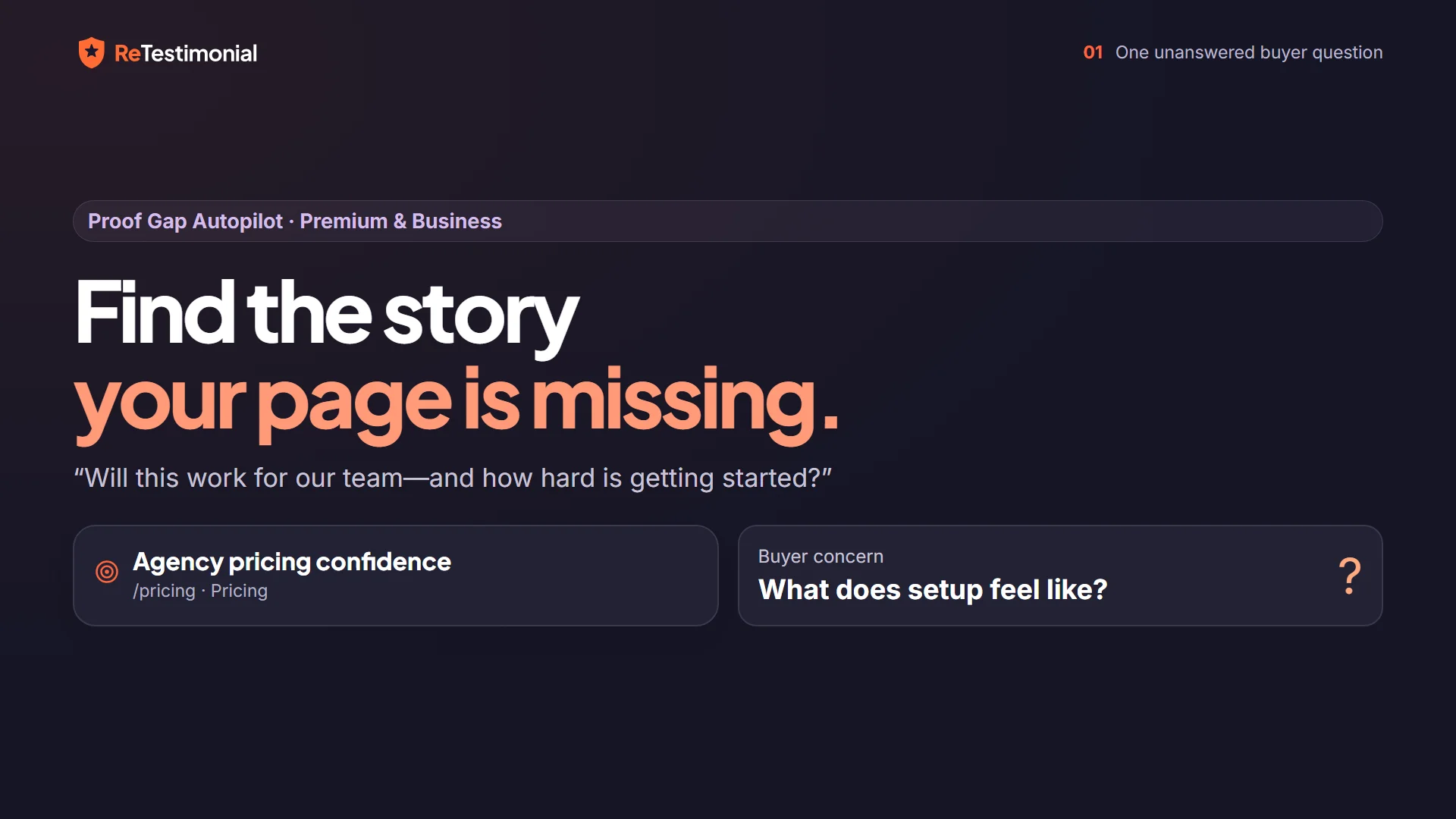
Opening frame of the film “Proof Gap Autopilot: find the story your page is missing”.Watch the film · 2:30
Proof Gap Autopilot
A videoask collects answers to the questions you wrote. Proof Gap Autopilot tells you which questions your pages need answered: name the pages that matter, and it scores how well your proof covers each persona, use case and objection, then drafts the request for what is missing.
From PremiumLearn more →
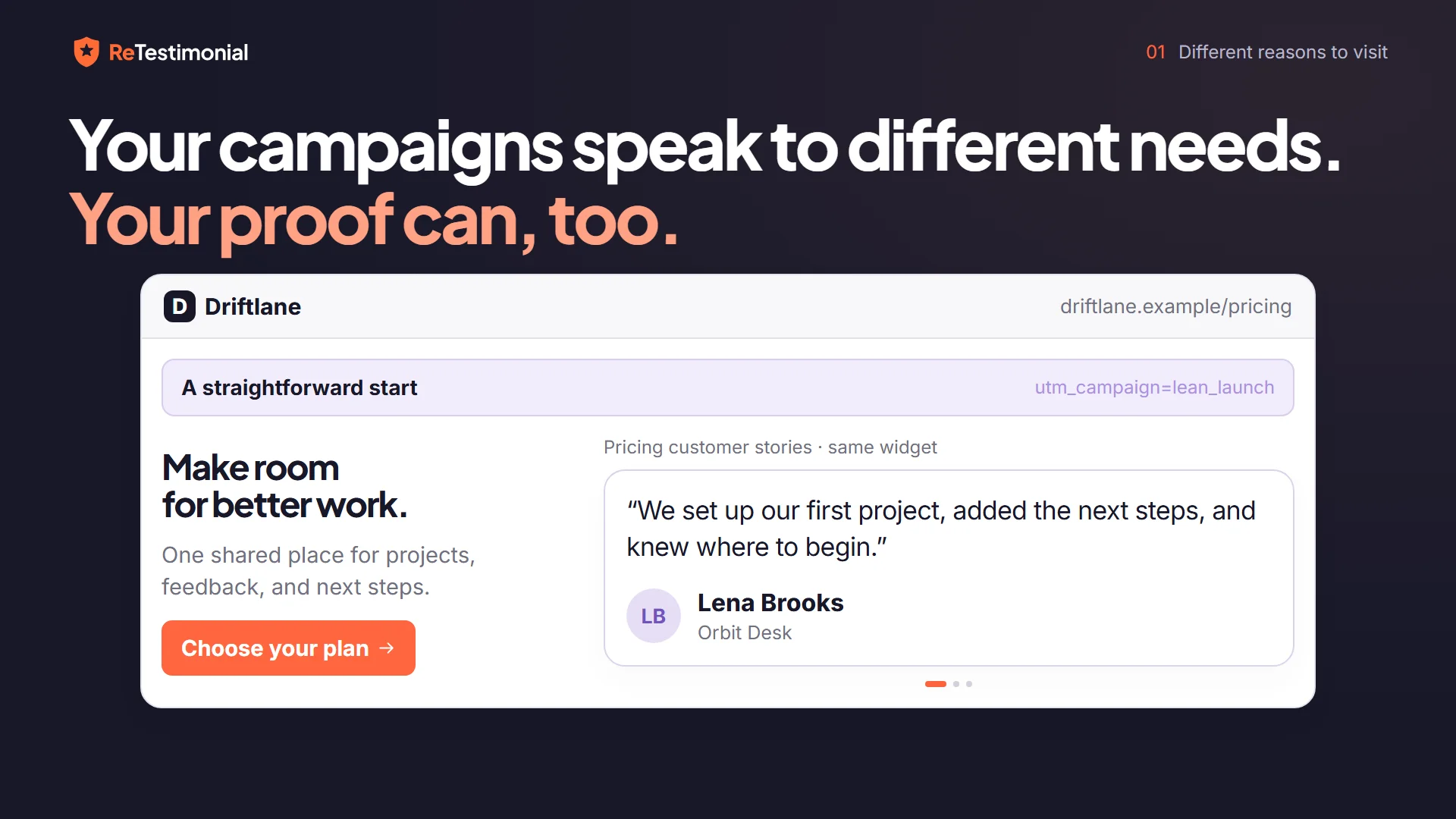
Opening frame of the film “Contextual Proof Match: see the right proof meet the right context”.Watch the film · 2:34
Contextual Proof Match
One widget shows different proof to different visitors, matched on page, campaign and referrer, resolved server-side before the widget renders. An embedded inbox shows everyone the same list.
From PremiumLearn more →
Opening frame of the film “Proof Impact: see the journey behind your proof”.Watch the film · 2:34
Proof Impact
Proof Impact records which widget impressions came before each conversion and what those conversions were worth, per placement, with refunds taken out. On Business you can also test a widget against no widget.
From PremiumLearn more →
Pricing, dated

What each actually costs.

VideoAskas of October 2026
Start (Free)$0

20 processing minutes/month, up to 3 users, 3 steps per videoask, CSV data export, VideoAsk branding throughout.

Grow$30/mo, or $288/yr

100 processing minutes/month, up to 5 users, unlimited steps, live calls.

Brand$50/mo, or $480/yr

200 processing minutes/month, up to 10 users, white-label with your own domain, AI chatbot.

Processing minutes meter everything you and respondents record: a campaign of 50 respondents leaving 2-minute answers can use a whole month's allowance in one push. Past the cap there are no overage fees. Per VideoAsk's help docs, new responses can't be viewed until you upgrade or the counter resets, and the overage is deducted from the minutes available in the next billing cycle. The prices and limits here are from VideoAsk's own plan data. On maintenance: Typeform's community team said in May 2025 that the product is maintained but not receiving new features, Typeform staff wrote on 21 January 2026 "we are still supporting the product", and the last update on VideoAsk's own "what's new" page is from November 2023.

ReTestimonialper active project · monthly billing available
Free$0

10 text + 2 video testimonials, 2 widgets, 1 Wall of Love, no card required.

Pro$29/mo

Unlimited text testimonials, 10 videos per project, every widget type, branding removal, a custom domain, import rollback.

Premium$49/mo

Unlimited video, Smart Invites, Contextual Proof Match, Proof Impact, outbound webhooks, 3 seats.

Business$79/mo

Translations into 33 languages, multi-clip video, Proof Impact experiments, auto-sync from all 8 review platforms, review markup for search results, 6 seats.

Each paid plan includes what the plan before it has. The price covers one active project, and each extra project adds one more. Yearly billing gets 2 months free. Full plan comparison →

Updated October 2026: what changed
  • VideoAsk's plans and prices are unchanged.
  • The table now credits VideoAsk's shared inbox playlist, public answer links, and its metrics with Google Analytics events. Earlier versions marked those rows as missing or partial.
  • This page no longer says VideoAsk has no way to show a testimonial. It says there is no wall or widget builder.

VideoAsk facts last verified 7 Oct 2026 from VideoAsk pricing and VideoAsk help centre. Always confirm current pricing with the vendor.

Switching

Give your answers a proof section.

Download the video answers you've collected in VideoAsk and upload the files to ReTestimonial. Each becomes a video testimonial with adaptive streaming and automatic transcripts, shown alongside your written proof on walls and widgets. Contact details export from VideoAsk as a spreadsheet if you want to invite the same customers to leave fuller testimonials.

✓
Videos hosted for you — Upload the files once. Streaming, thumbnails and transcripts are automatic.
✓
Contacts reusable — Export respondent details and run a Smart Invite sequence for fresh, display-ready testimonials.
✓
Everything after — Walls, widgets, share pages, social videos, analytics and attribution.
Moving your videos
1
Download from VideoAsk — Export your recorded answers and respondent details.
2
Upload the files — Each video becomes a testimonial, streamed in HD with a transcript.
3
Publish the proof — Walls, widgets, and share pages pick the videos up immediately.
Adaptive HD streaming — transcripts includedNO RE-ENCODING NEEDED
A fair read

When VideoAsk is the right call.

VideoAsk remains excellent at what it was designed for. If your job is conversations rather than testimonial display, these strengths are decisive.

✓Branching, conditional video logic: multi-step interactive flows that respond to answers. A page of our forms can be shown or hidden by an earlier answer, but we have no video reply tree; theirs is best-in-class.
✓Live video calls, appointment scheduling, file upload, and Stripe payments inside a single flow.
✓Native HubSpot, Salesforce, and Calendly integrations plus Zapier's full catalog.
✓A metrics tab with Google Analytics events on every plan, and drop-off analysis from Grow.
✓Typeform-grade polish for the person answering.
Questions people ask

ReTestimonial vs VideoAsk, answered.

Is ReTestimonial a good VideoAsk alternative for testimonials?

Yes, for that job. VideoAsk collects video answers very well, and its display is a shared inbox playlist: there is no wall or widget builder, no review imports and no review markup. ReTestimonial is built end to end for testimonial proof: collection, display in 64 widget styles, social videos, analytics, and revenue attribution. If interactive funnels are your job, keep VideoAsk for that; it's still the best at it.

Is VideoAsk discontinued?

No. VideoAsk is live and maintained by Typeform. Their own community team said in May 2025 that the product is being maintained and bugs fixed, but isn't receiving new features at the moment, and Typeform staff wrote on 21 January 2026: "we are still supporting the product". The last update on VideoAsk's own "what's new" page is from November 2023. It is not shut down. The fair description is maintained, not actively developed.

Does ReTestimonial have branching video flows like VideoAsk?

Not like theirs. A page of our forms can be shown or hidden by an earlier answer, but VideoAsk's conditional video logic, where each answer routes to a different video step, is best-in-class and we don't match it. We put that effort into what happens after the recording.

How does pricing compare?

VideoAsk meters processing minutes: 20 a month free, 100 on Grow ($30/mo), 200 on Brand ($50/mo) as of October 2026. A single active campaign can use up a month, and per their help docs new responses past the cap can't be viewed until you upgrade or the next cycle starts. There are no overage fees, but the overage is deducted from the minutes available in the next billing cycle. ReTestimonial's plans ($0/$29/$49/$79 monthly) limit by the number of testimonials and the length of a video, not by monthly minutes, so a busy month never locks you out of your own submissions.

Can I move my VideoAsk videos over?

Yes. Download your recorded answers, upload the files to ReTestimonial, and they're hosted with adaptive streaming and automatic transcripts. Respondent contact details export from VideoAsk too, which is useful for running a Smart Invite sequence to collect fuller, display-ready testimonials from the same customers.

Can I try ReTestimonial without creating an account?

Yes. The widget builder opens without sign-up: pick a style, add a few of your own reviews and see the widget. You keep it when you create a free account.

FREE PLAN · NO CARD · AUTO-MATCHED IMPORT

Your videos earned a better home.

Start on the free plan, upload a few VideoAsk answers, and see them on a wall this afternoon, with analytics underneath.