Overview · 2:30
See Proof Gap Autopilot in action.
See how an unanswered buyer concern becomes a focused collection request.
8 chapters · Captions · Full transcript
Read the transcript
One unanswered buyer question
Your pricing page has customer praise. But does it answer the question your next buyer is asking? Will this work for a team like ours?
Define what the page needs
Proof Gap Autopilot helps you turn that question into a focused plan. Start in Insights, add a target, and identify the page you want to support. Give it a useful name and choose its place in your funnel.
Give the comparison direction
For Driftlane, the audience is agency teams. The use case is project handover. The concern is setup time. Add those signals and choose the kind of proof you want to use. Autopilot compares them with testimonials already analyzed by Proof Intelligence.
See the matches and the gap
Here, two customer stories qualify. They speak to the audience and the handover experience, but the setup concern is still unanswered. Partial coverage gives the team a useful direction. Look at both the matching stories and the missing signals before deciding what to collect.
Turn the gap into a useful brief
Open the collection brief. It brings together the page context, the missing perspective, an outreach prompt, and interview angles. Copy it for a teammate or your next customer conversation. Instead of asking for general praise, you have a clear reason to ask about a specific experience.
Ask with a clear purpose
Open Smart Invites with the target in context. Your team chooses an appropriate customer and prepares the request. Marina can describe how Northline Studio got started. The brief guides the conversation, while the customer provides the story in her own words. That makes each follow-up more focused and useful.
Bring the useful story back
When her response arrives and is analyzed, refresh the target. There is now another qualifying match, and the setup signal is covered. The response still needs approval. After your review, open the widget workflow to decide how it should support the page.
Make the next request more relevant
Define. Compare. Collect. Use. Find your next proof gap with ReTestimonial. Available on Premium and Business.
You have plenty of testimonials. Just not the right ones, on the right pages.
Most teams collect testimonials in bulk and dump them into a wall on the homepage. That’s a library, not a strategy. Your pricing page needs ROI quotes from RevOps. Your integrations page needs developer voices. Your onboarding wall needs week-one wins.
Proof Gap Autopilot looks at each page you name the way a skeptical buyer would: against what that buyer needs to hear. It shows the doubt your testimonials leave unanswered, and what to ask a customer for.
Name the page. Compare. Ask.
From a page’s address to the questions to ask, in the time it takes to describe the page.
Every line is a question a buyer is asking.
What the page needs, ticked where an approved testimonial answers it. A cross is a doubt nothing in your library answers yet.
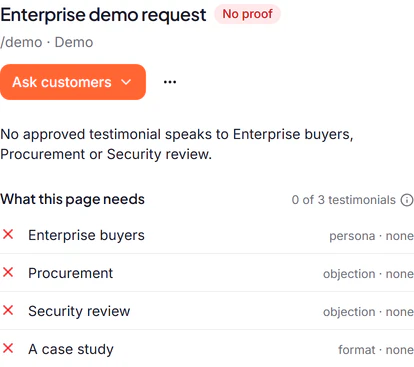
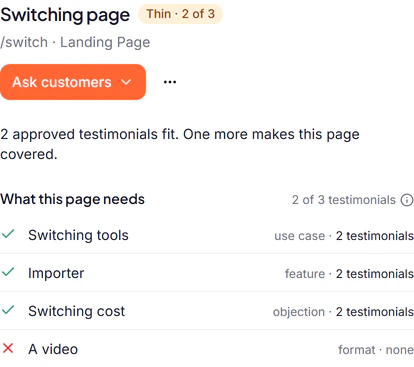
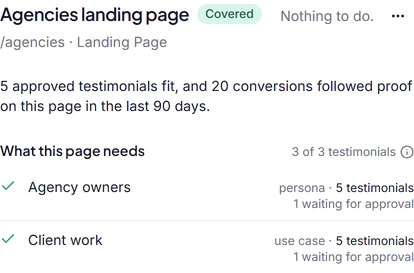
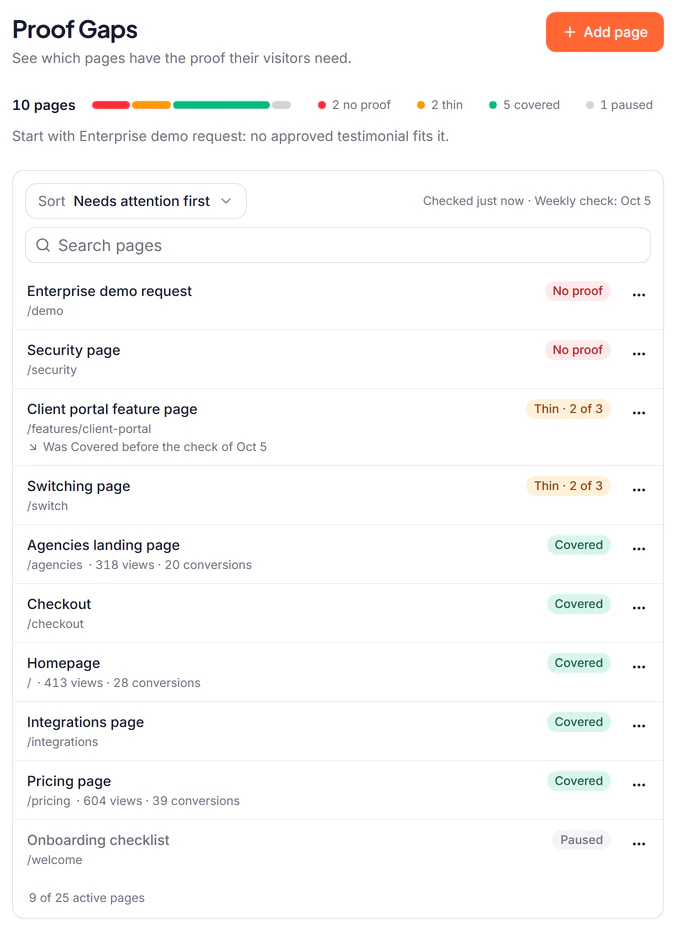
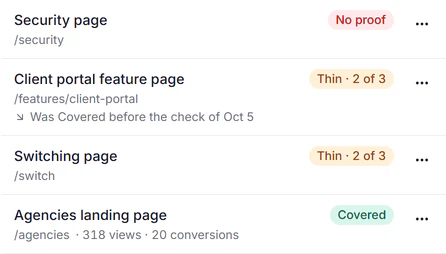
Three pages of a demo project, each as its own page in Proof Gaps opens.
Every gap comes with a way to close it.
It does not stop at what is missing. For each gap you get what to ask, and whom.
Written from what the page still lacks.
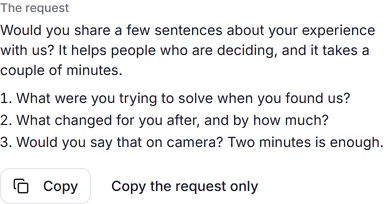
What is missing, what to look for, then the sentence to send and the questions that would fill the gap. Copy it, or open Smart Invites, where it is already written as an invite.
It suggests whom to ask, from the customers you already have.
Up to 5 for a gap, each with the reason. Nobody on your do-not-email list is suggested, and nobody you invited in the last 90 days. Nothing is sent until you send it.
- 1Already said this in writingThey wrote what the page needs. Ask for it on video, or as the longer story.
- 2Fits who this page is forTheir role or company matches who the page is for, and the page has nobody like them yet.
- 3Gave five stars and was not asked againA happy customer nobody has asked lately.
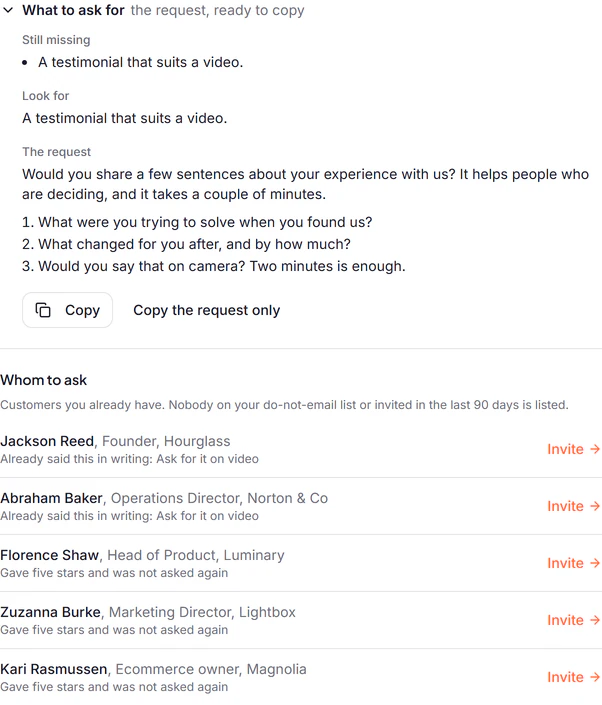
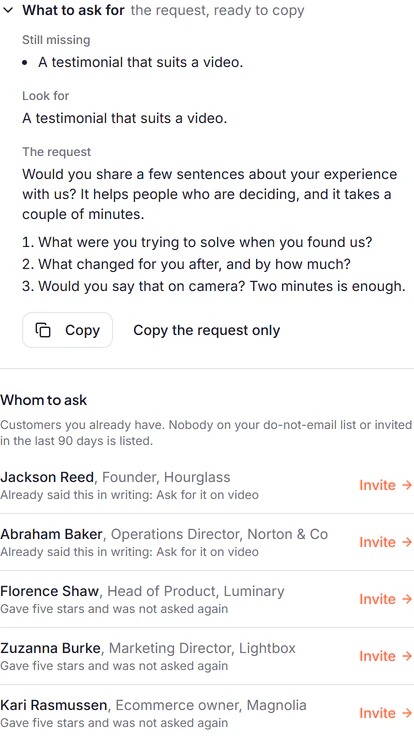
A page two customers already wrote about. The request asks for it on video, and those two lead the list.
Setup is describing a page. That’s the whole thing.
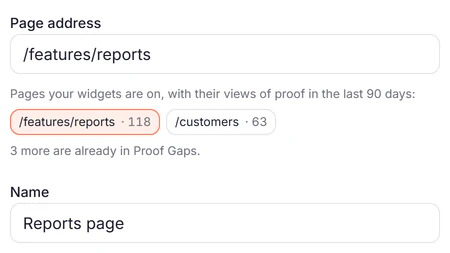
Give the page a name and its address, then say who reads it and what they need to hear. Pick from the words your customers already use, or type your own. The check runs against the testimonials you already have.
- 1Nothing to installIt reads your testimonials, not your site. No script to add and no access to your pages.
- 2Uses the analysis you already haveWhat Proof AI found in each testimonial is what a page is compared with.
- 3Works with what is approved todayThe result is there as soon as the page is saved, and follows your inbox as you approve more.
- 4Up to 25 pages a projectPause a page to make room. A paused page keeps everything you wrote for it.
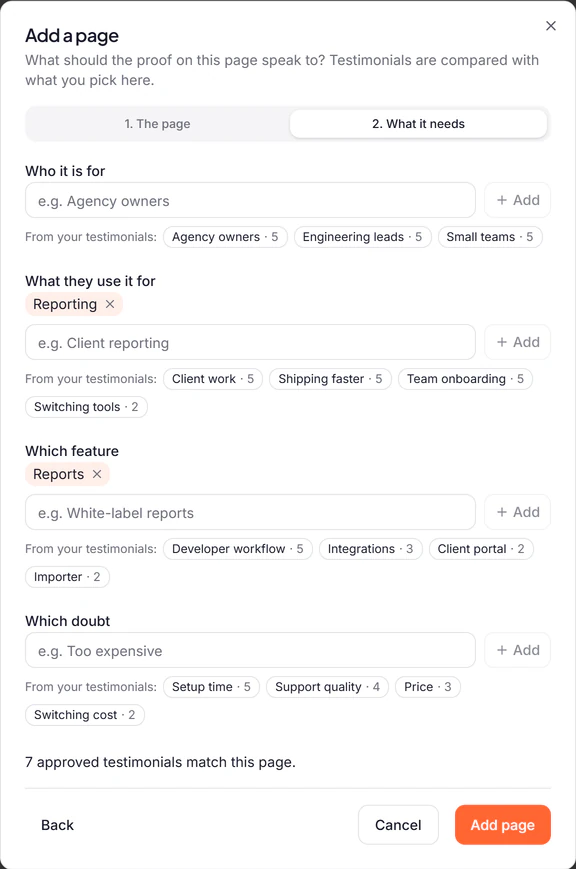
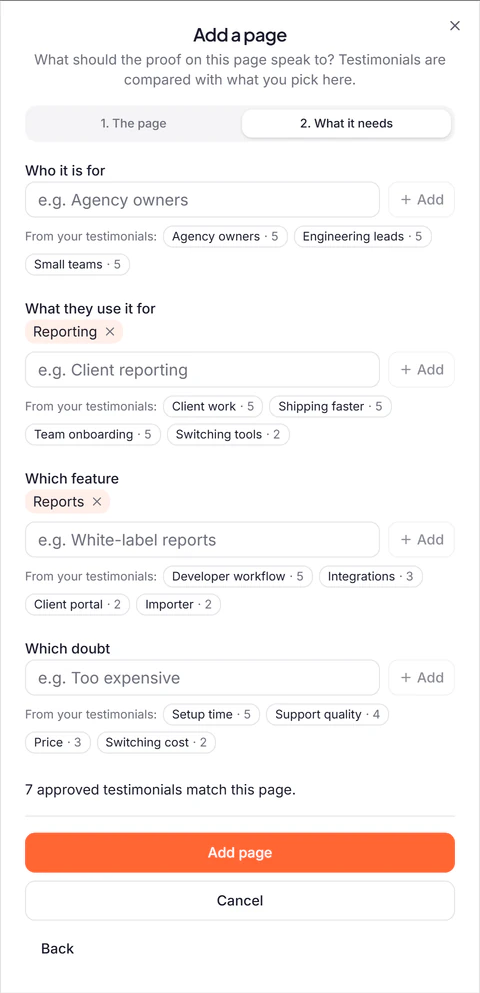
The second step of adding a page, with the count of testimonials that match what is picked.
Not a side tool. The connective tissue.
A gap leads somewhere: to the request, to the testimonials that fit, to the widget for that page, and to what was observed afterwards.